
Never forget: to insert an unsubscribe link in the e-mails that you send out is often mandatory. SendBlaster can manage its distribution lists by downloading email messages from a dedicated e-mail address, different for each list.
Each email with the subject “Unsunscribe” received by the Mailing list managing email address will be automatically removed from mailing list.
It’s necessary to generate the following HTML code and insert it in the HTML section of the message by clicking on “Show code” button:
<a href=”mailto:#managingemail# ?Subject=Unsubscribe”>Unsubscribe</a>
SendBlaster can automatically generate the code by pressing the “Insert unsubscription link” button in the message format bar. You’ll only have to specify the text your recipient will click on (i.e. Remove me from list).
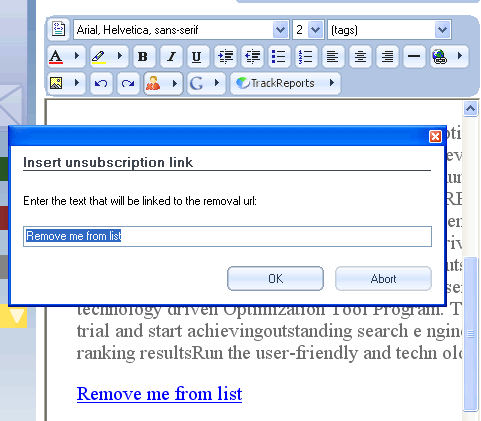
The HTML code can also be inserted as a link using the “Link” button in the message format bar (in which case the text mailto:#managingemail#?Subject=Unsubscribe will need to be inserted in the link window and, once the link is created, the displayed text can be modified to something like “Unsubscribe” or something similar).
Note: with current SPAM-CAN laws, all e-mailings must have an unsubscribe link. This little tutorial will be useful to understand how to update the subscription status of our contact lists using unsubscription links inside email body.
Discover how to further customize your messages.