
Importing email contact lists into SendBlaster Newsletter software from MSN Live webmail is simple, here's our brief tutorial. First you need to export from MSN Live your contacts in the CSV common file format
-
Open MSN Live webmail in you browser
-
Switch to classic view
-
Go to Import/Export section
-
Click on Export Now button near Microsoft Outlook label
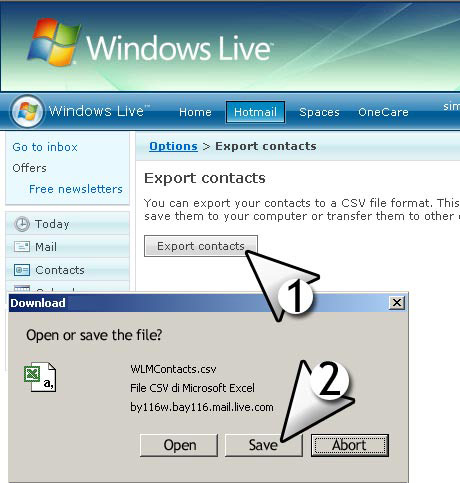
This will open a new popup window asking for file save on your hard disk.
-
Hit SAVE.