SendBlaster is the best software for sending newsletter that provides a complete set of features that allow you to easily manage every aspect of an email marketing campaign. Creating their own graphic templates, list management, sending the newsletter and analyzing campaign statistics have never been easier to manage.
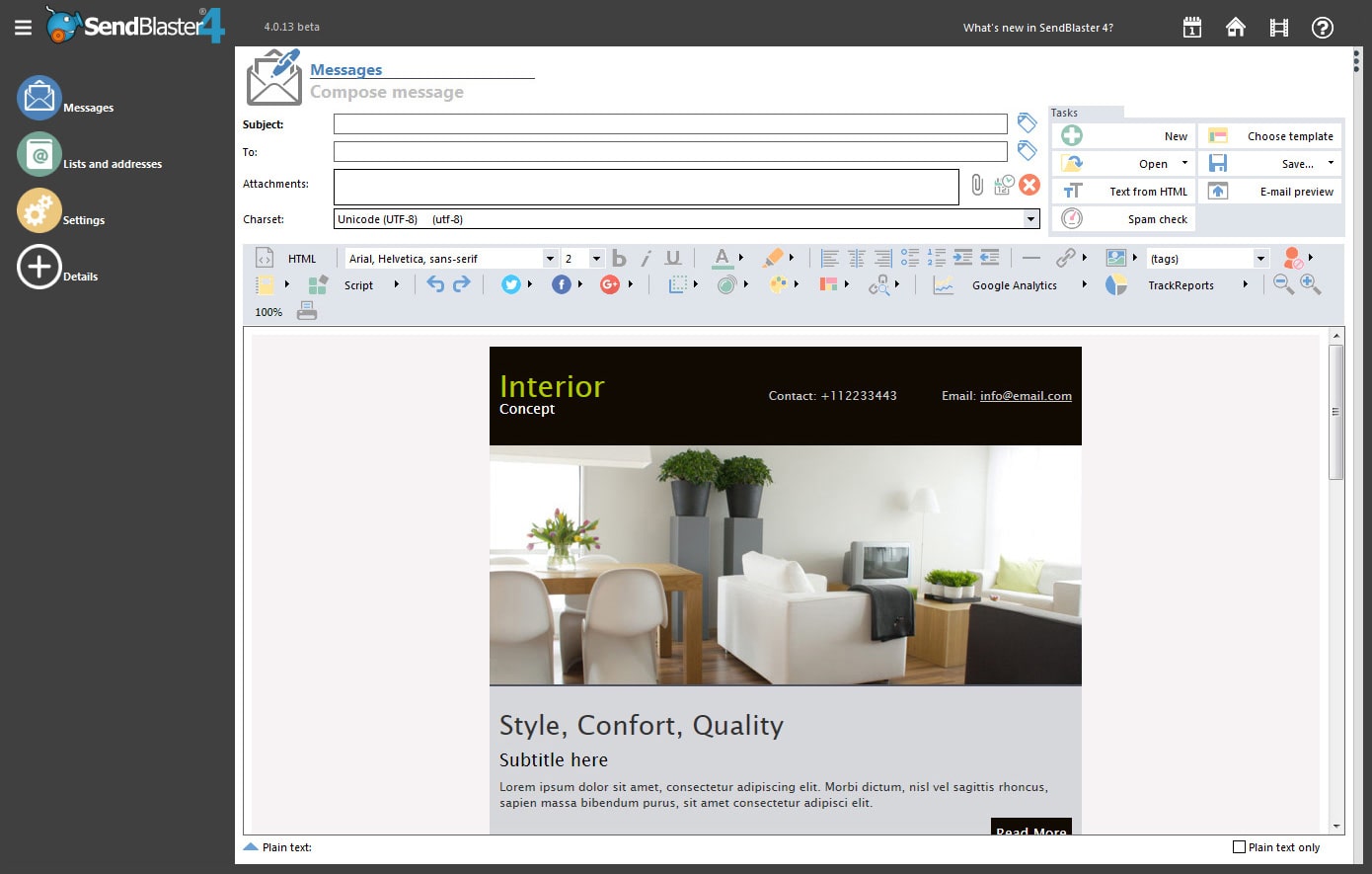
Creating a new message from scratch is a breeze with the new layout editor: choose the email structure, add header, footer or side columns, select colors and variations in a few clicks.
Optional HTML “source editing only” mode
With SendBlaster 4, experienced HTML designers can optionally do without the visual editing completely and retain full control of their source code. Html documents can be opened in “source editing only” mode with full preservation of the original code.
Categorized templates
SendBlaster 4 comes with tons of new templates; the template browser now supports categories for better organization of templates.
Adjust images in place
The visual editor includes an inline photo tool which lets you apply the most common and useful filters and effects to images on the fly and in place. You don’t need to export images, process them with external utilities and then add them back to your message: just select an image in the message, edit it, and immediately see the results.
New HTML engine
SendBlaster 4 uses a greatly improved HTML engine. Not only is its rendering of HTML better, but the output code is also more polished and conforming to modern standards; the visual editor better preserves the original HTML code.
New email templates
A rich set of ready to use templates to help you create professional looking emails. All the email templates can be easily customized.
Custom attachments
SendBlaster Pro 4 lets you send each recipient a different attachment using programmable tags and storing the attachments path or file names in the database.
Integration with MailStyler
MailStyler is a powerful newsletter design software, which lets users design cross-client compatible and responsive emails with a simple drag and drop editor. When you select “MailStyler” as your new message type, SendBlaster launches MailStyler (if it’s installed), and waits for it to be shut down; it then automatically loads the last message you exported from MailStyler.
Newsletter customization
Import existing .htm or .eml files
Email messages can be imported from external files (HTML documents or existing .eml files), you can create the email with Outlook, DreamWeaver and then import it. It’s also easy to import email contacts from Gmail, Yahoo, AOL and every other online email service that allows the users to download their contacts in a .CSV file.
Personalized email for each subscriber
Send personalized messages (“Dear Mr. John Smith”, instead of “Dear customer”). Each email you send is unique by using the email merge and email personalization features (tutorial).
Programmable tags
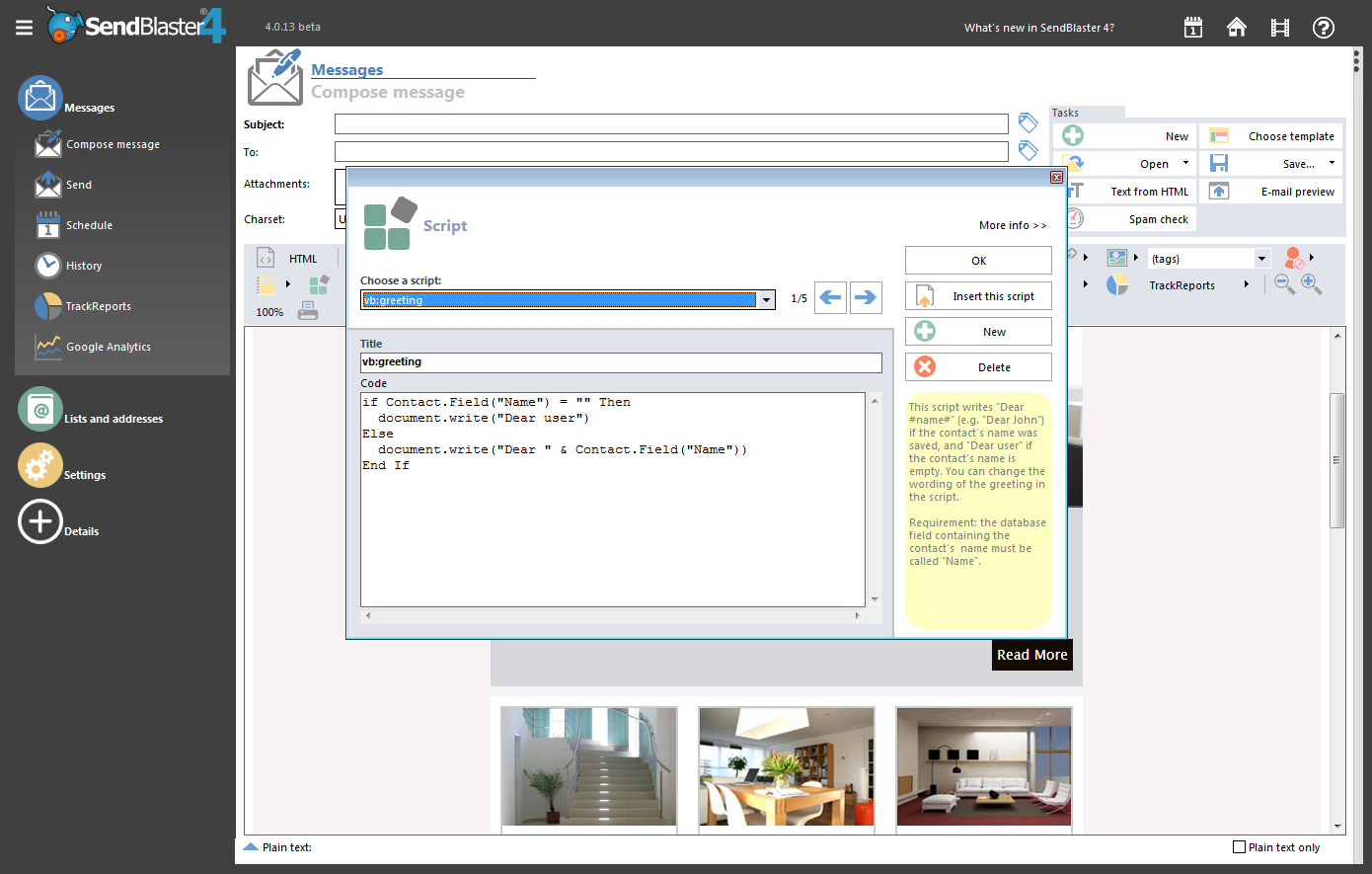
SendBlaster Pro includes a powerful scripting engine for tags, which can now be programmed using either Vbscript (familiar to Office users) or Javascript (familiar to web developers and designers). Tags can contain calculated or conditional output, random variations, custom attachments, and much more.
Add calendar events to your message
Make your mailings more effective and make it easier for your contacts to remember your offers and events: with SendBlaster Pro 4 you can create an event and add it to your mail as an iCalendar attachment; when recipients click on the attachment, the event will be added to their calendar.
JotForm integration
JotForm is a popular platform for designing beautiful forms, fully integrated with all major content management and shopping systems. SendBlaster 4 allows you to easily import subscriptions and cancellations from your JotForm account by just entering your credentials.
Link checking
No more hidden broken links: SendBlaster 3 automatically extracts all links from your message, even the hidden ones, and lets you check them in one click.
Mailing List management
Segments
SendBlaster Pro 4 allows creating list segments (subgroups) based on multiple rules; this makes organizing and maintaining lists much easier. You can now optionally send out to a list segment only.
Unsubscribe replicator
If you manage multiple lists, and they share some contacts, you may end up having a given contact marked as unsubscribed in a list, but still flagged as subscribed in a different one. If this is not desired in your scenario, Unsubscribe Replicator propagates unsubscriptions from any list to the other ones: if a contact is “unsubscribed” in ANY list, it will be marked as unsubscribed in ALL lists.
Import email addresses and email database
Directly import all your customer’s details into SendBlaster from another mail software like Outlook or Thunderbird. Save your existing MS Excel(TM), Access(TM) or Outlook(TM) contact list in .CSV file format, and directly import all your contacts’ details into SendBlaster (tutorial).
Follow up malings
All contacts which were included in a previous mailing can be selectively enabled in the current list. This way, you can send a followup mailing only to those who already received a specific one.
Simple integration with your own web site
Inserting mailing list management functionalities in your web site becomes extremely easy by the subscription/unsubscription management functions and the ability to import data from a web source, letting SendBlaster take care of list updating and sending the right emails to the right recipients.
Subscribe/Unsubscribe by Email or Web Form
SendBlaster can automatically manage subscriptions (and unsubscriptions), build permission based email marketing campaigns (even if you don’t have a website). Each list can be associated with an e-mail address: when an email message with “Subscribe” in the subject line is sent to this e-mail address the sender is added to the list. If the subject is “Unsubscribe” instead, the sender gets deleted (if he/she had previously subscribed). SendBlaster newsletter software downloads new email messages from the POP3 account, verifies the subject and updates the related distribution list.
Advanced data filter
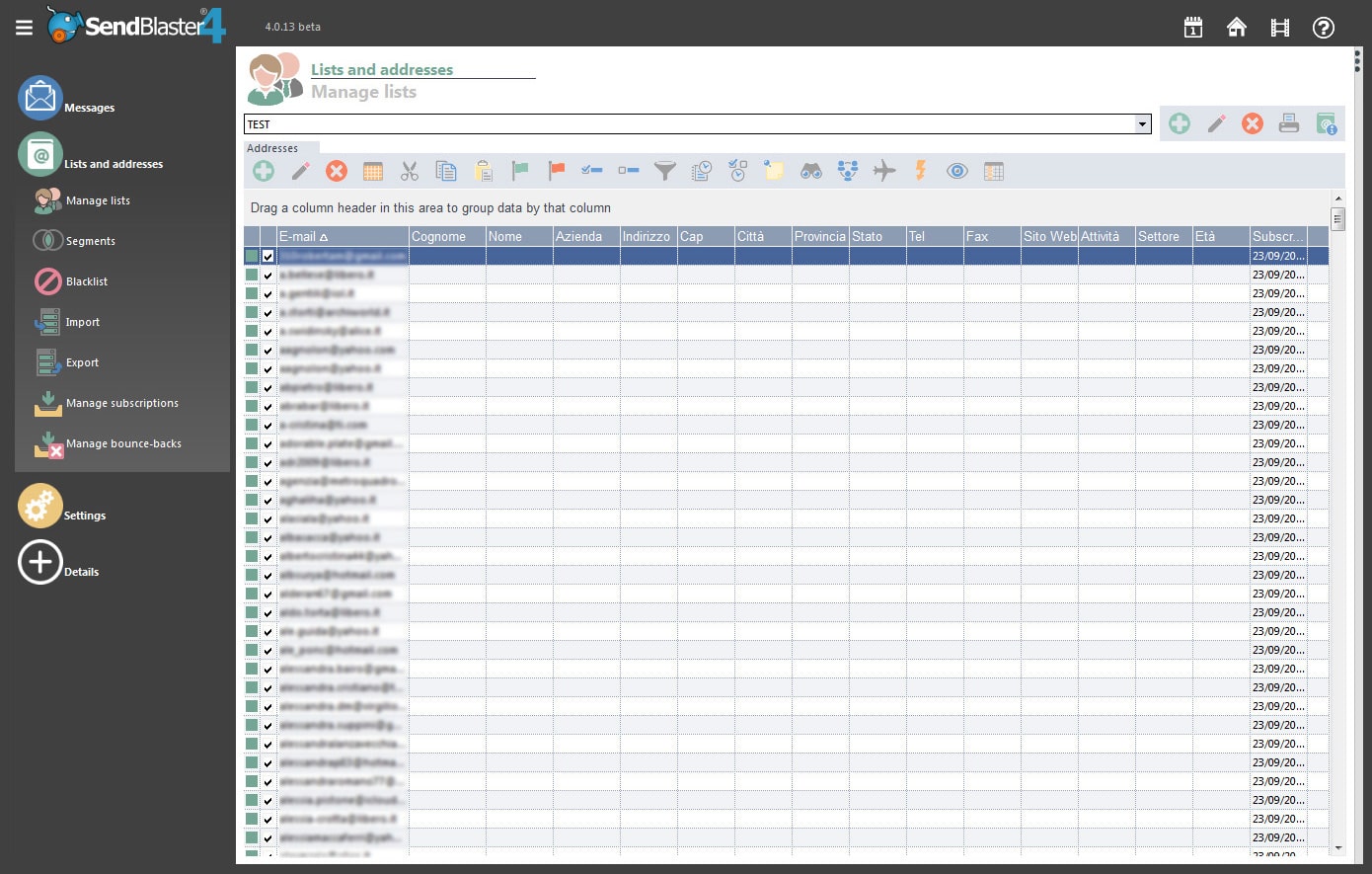
You may sort the list with a simple drag and drop for every field or even for multiple fields.
List merging and moving
You can now easily and quickly merge two or more lists or move a subset of contacts from a list to a different one using powerful rules.
Bounce back and black list management
Bounce-backs are automatically recognized, and originating addresses can be either disabled or deleted from the lists (tutorial). Define lists of addresses or domains which will be automatically excluded from mailings.
ReturnPath address
SendBlaster now supports ReturnPath header, allowing you to have bounces sent back to a dedicated email address (instead of the sender’s or ReplyTo address).
Unlimited lists/groups with unlimited recipients
SendBlaster can manage multiple distribution lists.
History of opt-ins and opt-outs
Subscriptions, removals and bounces requests are saved to the database along with their dates, so that you can keep track of them, export them for reuse or reprocess them.
Mail to new contacts
All contacts which were included in a previous mailing can be selectively disabled in the current list. This way, you can send a mailing only to those who didn’t receive it yet.
Send your email campaign
SMTP servers and POP3 profiles
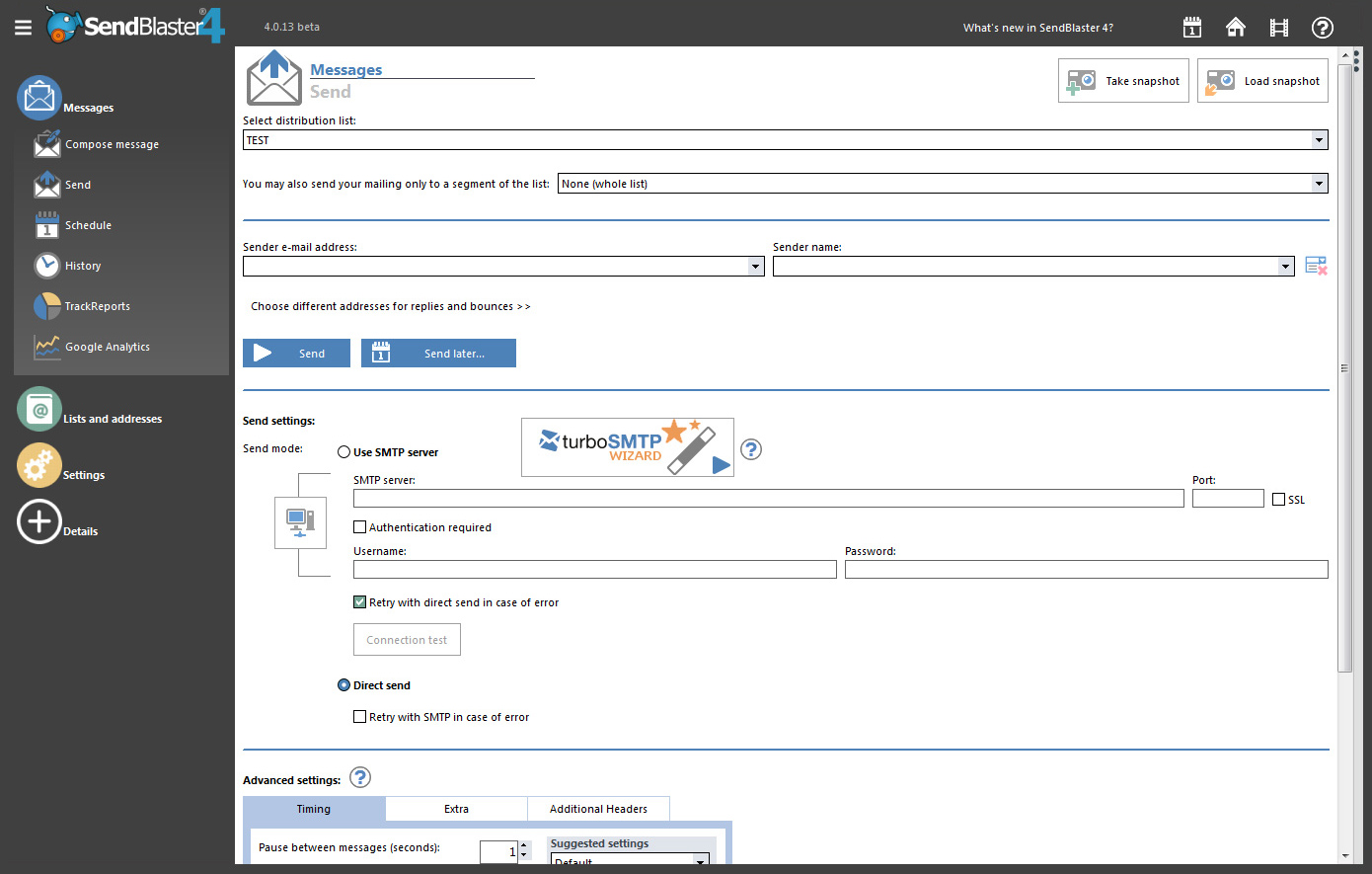
You may set different SMTP and POP3 configurations. Account info can be saved in multiple profiles, so that all SMTP and/or POP3 settings can be changed with a couple of clicks (Learn how to use different SMTP profiles).
SMTP free delivery
Use the direct send mode, if you don’t need to modify any parameters to connect to the provider’s SMTP service.
Check duplicated emails
SendBlaster has an automatic duplicate prevention filter when sending.
Send to segments
SendBlaster Pro 4 allows creating list segments (subgroups) based on multiple rules; this makes organizing and maintaining lists much easier. You can now optionally send out to a list segment only.
Scheduled mailings
Now users can create a mailing and let SendBlaster send it later automatically, at a given day and time. Or, users can even “park” their mailing so that they can manually launch it later. Now SendBlaster can run in a minimized schedule mode and start when Windows starts.
Complete previous mailings
In case of internet connection interruptions, computer crashes, mail-out pauses etc, Sendblaster logs which emails/messages have already been sent, letting you resend those emails that didn’t get mailed-out preventing duplicate messages.
Event logs
See your previous mailings logs.
More speed
SendBlaster 4 now supports up to 100 connections – on a high-end platform, this could dramatically improve the speed of mailings when using a fast remote SMTP server or a local one.
Analyse email campaigns
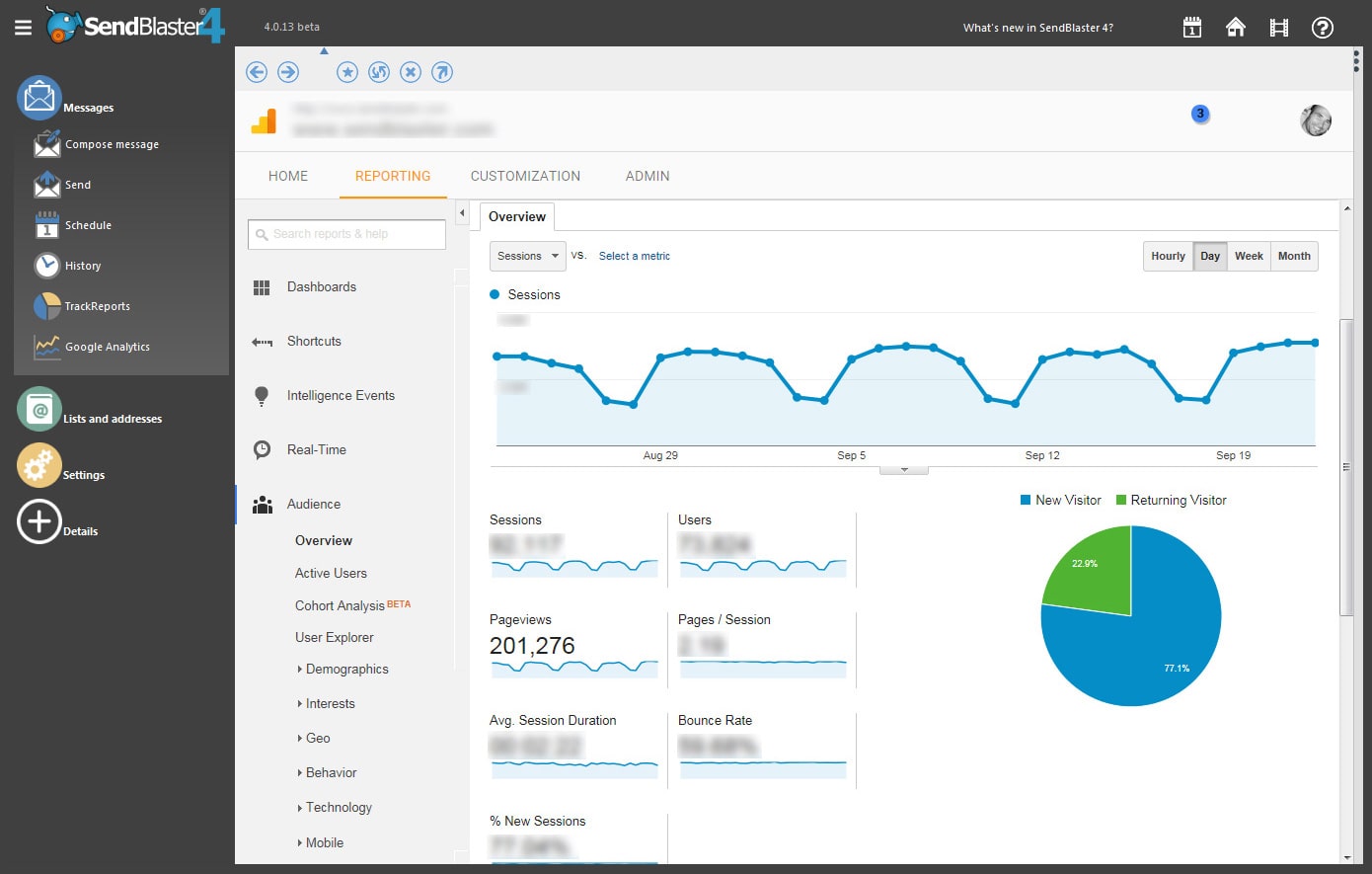
Integrated with Google Analytics
Check your mailing campaigns open rates and reading times using Google Analytics powerful tools.
More features
Database maintenance
SendBlaster 4 includes a fully integrated database tool for periodically optimizing the size and performance of your database.
Widgets
SendBlaster has a right-docked Widgets Panel offering small but useful tools: a Memo Tool for saving notes and to-dos across sessions, a Shortcuts List for your most frequently used programs, a Magic Crop widget for resizing pictures, and a Domain Info tool for checking an email address’ domain in the browser and in Alexa… And new widgets are coming!
Text snippets
Easily save and reuse text snippets: signatures, street addresses, contact information, business descriptions… No need to enter texts from scratch each time you create a new message.
Drafts
Organize your work better: SendBlaster 3 has a a new special folder where you can save your unfinished projects and later preview them before reloading them.
Improvements and new options
SendBlaster 4 engine underwent lots of internal enhancements and optimizations in order to increase speed, performance and robustness, and many options were added to common operations.
Ready for Windows 10
SendBlaster 4 is ready for Windows 10.
Manage Cookie Consent
In order to provide the best experiences, we use technologies such as cookies to store and/or access device information. Consenting to these technologies will allow us to process data such as browsing behaviour or unique IDs on this site. Not consenting or withdrawing consent may adversely affect certain features and functions.
The technical storage or access is strictly necessary for the legitimate purpose of enabling the use of a specific service explicitly requested by the subscriber or user, or for the sole purpose of carrying out the transmission of a communication over an electronic communications network.
Preferences
The technical storage or access is necessary for the legitimate purpose of storing preferences that are not requested by the subscriber or user.
Statistics
The technical storage or access that is used exclusively for statistical purposes.The technical storage or access that is used exclusively for anonymous statistical purposes. Without a subpoena, voluntary compliance on the part of your Internet Service Provider, or additional records from a third party, information stored or retrieved for this purpose alone cannot usually be used to identify you.
Marketing
The technical storage or access is required to create user profiles to send advertising, or to track the user on a website or across several websites for similar marketing purposes.