Send bulk emails: your marketing campaign in minutes

Send newsletters to subscribed users using bulk email softwareSendBlaster is a free bulk email software for email marketing and bulk emailings:

In today’s internet marketing strategies, being on search engines is not enough: sales are a matter of trust. Web visitors become customers when you give them the content they’re searching for. You can give personalized content when you gather new mailing list users, using free opt-in subscription modules in your websites.Once you catch interested subscribers the key for a winning and cheap email marketing is to use a bulk email software as email newsletter sender: send mass emails and personalized emails to subscribed users in your emailing list.

Turn occasional website visitors into recurring users and customers by sending direct bulk email newsletters, updates, and targeted offers… with an email newsletter software on your pc.

A good direct bulk email marketing is the best way of establishing a successful relationship with potential clients… sending bulk emails of course:

Newsletter software: bulk emailing without recurring fees

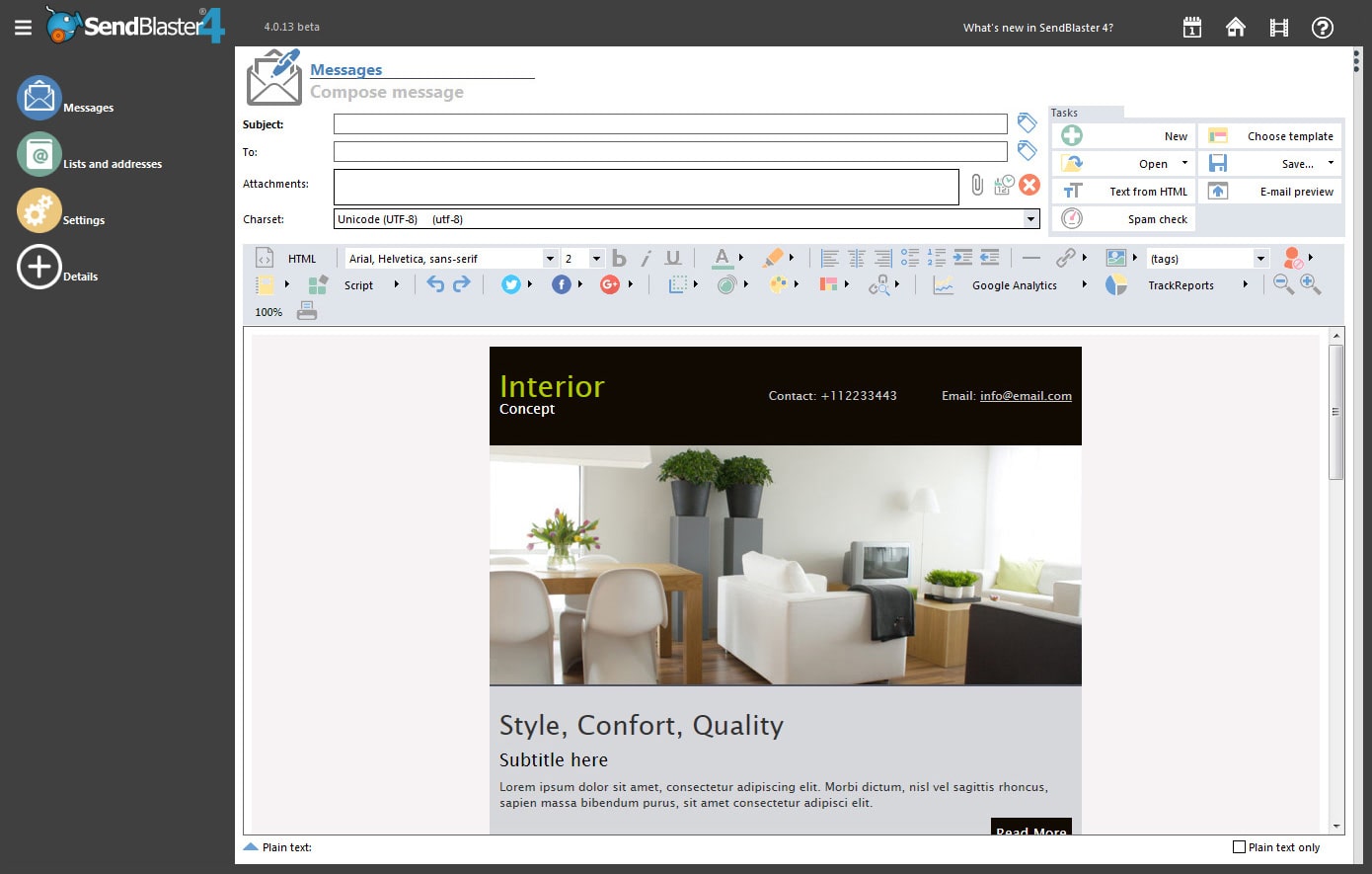
newsletter software screen shot The Email newsletter software is a software that manages a mailing list and sends mass newsletter emailings. That’s why a newsletter software is also called Emailing Software. A newsletter software is used to communicate with customers and friends by creating and sending personalized bulk e-mails to the contacts in a mailing list database. A complete newsletter software suite integrates the mailing list subscription modules within a website, to gather new recipients automatically, and unsubscribe users when they want to cancel their newsletter subscription.

We feature 2 different bulk news emailer softwares:

Send unlimited emails with newsletter softwareStarting your e-mail marketing newsletter campaign is a matter of minutes with SendBlaster Bulk eMailer: download Free email marketing Newsletter Software and:

  1. Compose your email message or choose a free newsletter template
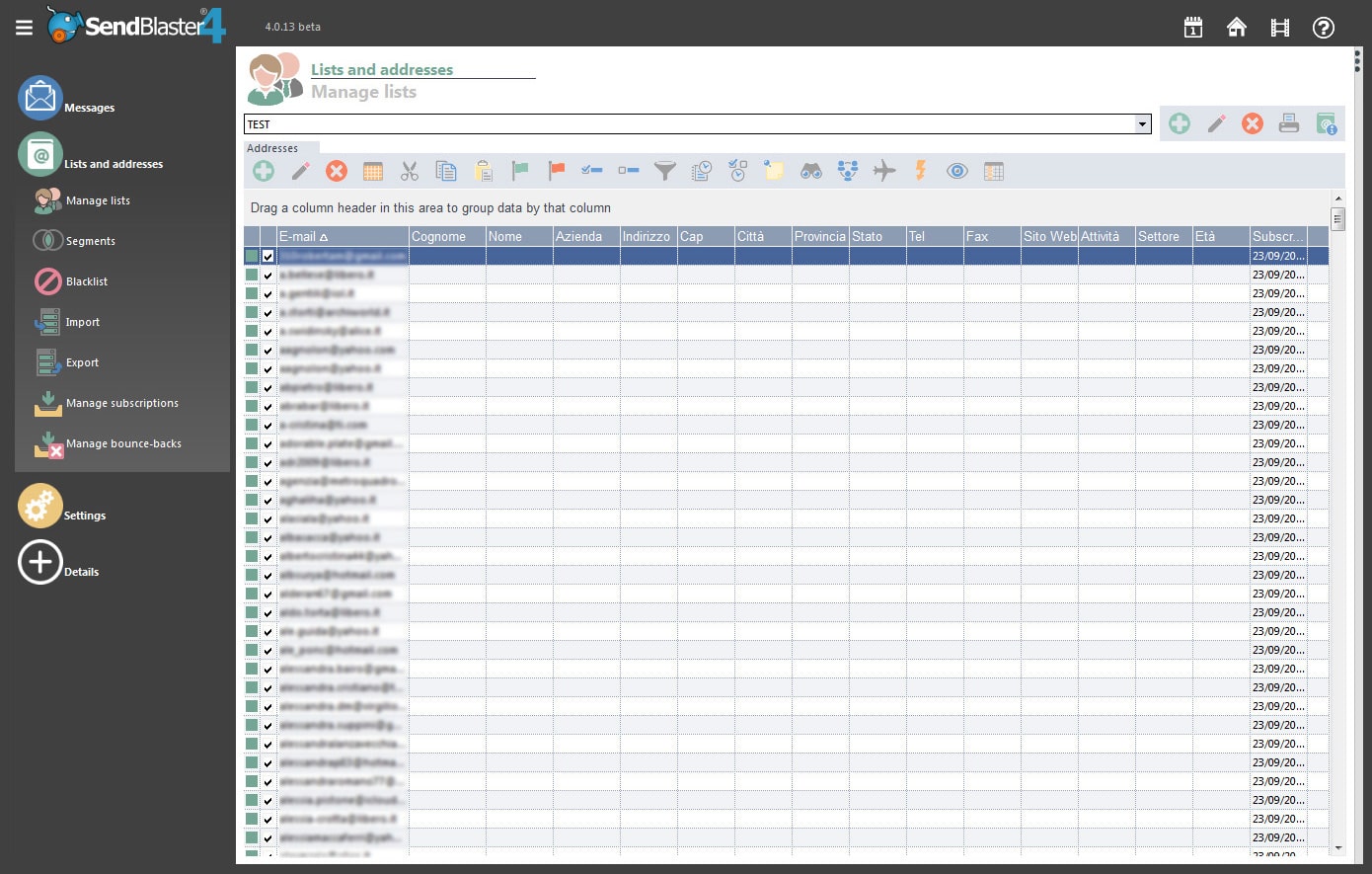
  2. Import .csv contact list and create email marketing database from scratch
  3. Send newsletters advertising and bulk emailings, pause and re-start
  4. Clean the mailing list from bounce-backs and bad email addresses

SendBlaster program is a newsletter software complete solution:

  • a email composer (comes with plenty of pre-made email templates)
  • send to inbox your spam free emails (using the free spam check utility)
  • the right newsletter mailing list manager to send advertisements email
  • a fast bulk e-mail sender with email merging functionalities

SendBlaster software for newsletter imports mailing lists from Yahoo!, Gmail, MSN

Share this article

Bulk emailing software: SendBlaster is the Real email blaster software

  • email blaster softwareIt’s the best bulk email sender software: runs on your PC, not a subscription-based online service
    You don’t have to recurringly pay high prices for every email message you send out, even if your users base grows you pay one time, for the bulk email program license. Your activity remains private and safe - you are not giving away your valuable data to any third party (why should they know who you are, what you are communicating and who you are sending to? How are they managing your data? Are they keeping them secure?).
  • With bulk e-mail system: unlimited lists, unlimited recipients and no recurring fees
    Why pay for each contact or email message sent? Keep as many email contacts as you wish in your database, and use a bulk e-mail system to send out your e-mails as often as you need, without constantly worrying about how much you are spending. Sending out a small mailing to some hundreds contacts or a large one to 20.000 people have the same cost: a single bulk e-mail software system license of 75 Euro.
  • It’s the Real Email Blaster because it’s light and very easy to use
    A mass mailer software is easier and faster-responding than any web tool; and SendBlaster Mass eMailer is designed with user-friendliness in mind. You will be using even the advanced bulk email program merge features minutes after installing it - try it for yourself: download here bulk emailer free version (max 100 email per day) You will agree there is no easier yet feature-packed bulk mailing software around.
  • Integrating mailing list subscription features into your website is a breeze
    Inserting mailing list management functionalities in your web site (the usual “subscribe” form) is extremely easy - even on plain HTML sites! - thanks to the pop3-enabled subscription/unsubscription features and the abiltity to import data from a web source: let SendBlaster take care of list updating and mailing the right messages to the right recipients. And if you are on a PHP or ASP site you can enjoy advanced features we have plenty of examples for.
  • Send pesonalized email messages to each recipient
    With SendBlaster bulk emailer software you can manage up to 15 customizable fields and thanks to the e-mail merging functionalities each recipient will receive a customized email message: “Dear Mr. Smith…” instead of the unfriendly “Dear customer…”. See Email Merge software details.
  • Completely personalize your mass email message’s layout or browse through a lot of premade email templates using the bulk email software template engine
    SendBlaster mass emailer and newletter software comes with plenty of professionally designed templates and a powerful WSYIWYG visual editor: don’t let your newsletters mailings look dull and unprofessional, send out appealing and graphically rich email messages to make your communication more effective.
  • Manipulate, filter, import and export mailing list data
    You will be able to import mailing list data inside SendBlaster mass emailing software from most common sources as Outlook Express, formatted text files (.CSV format) , web pages and the clipboard; it is possible to filter data in a very advanced way, based on the contents of one or more fields, which will allow you to send messages to a very specific subgroup of addresses in a specific list (for instance, only the people living in a certain area, or the contacts that run a specific business) - and all of this without learning any complex database syntax: just point & click, drag & drop!
  • Purge lists from bad email addresses
    Don’t let your mailing lists be full of non-working email addresses; SendBlaster bulk emailer’s Mailing List Cleaning automatically downloads and recognizes bounce-backs and purges lists accordingly. Having a “clean” list is crucial for fast sending and not being mis-recognized as a spammer by mistake.
  • Email Blaster software with high inbox rates
    Email Blast software blasts 100.000 different email addresses in your mailing list with spam rate clean email newsletters, offers and promotions… See here the email blasting performance graph.

And much more… SendBlaster Free Automatic Emailer has everything you would expect in a desktop software solution: blacklists (single addresses and whole domains), direct (SMTP-free) delivery, multiple connections (send multiple mails at once), HTML importing (with images embedding), international e-mail character sets support, password protection, and many more features.

These are just a few of the unique features which made our award-winning mailing software one of the most popular bulk mailing tools around: if you want to know the full story please read more and have a look at the full mailing software feature listing.

And if you think a good software should cost a lot… well, have a look at our offer and compare to others ;-)

Email marketing tutorial: WordPress and bulk email software

wordpress widget for mailing list sidebar subscription

Building a free email marketing website can be pretty easy using open source and free softwares like Wordpress and SendBlaster Bulk Emailer Free edition.

Free tutorial download sources

Warm up for email marketing website

First step will be building a WordPress website and publishing your contents. Before the first website public presentation you will configure the WordPress optin widget for newsletter subscription.

While you write and publish your contents, as time goes by, new subscribers will join the mailing list. Notice that these subscribers are people interested in your contents: they are waiting for and they trust… your words.

You will soon build up a subscribed userbase of loyal and thirsty readers.

Newsletter setup, composition and strategy

The next step will be:

understanding the right timing for your mailings. One per month, or one per year?

Consider that we are constantly overloaded by informations, you will be the more successfull in your business if you send only interesting mailings. We belive in quality: speak only when you’ve got something good to say. This will give you a credibility aura among your readers.

Email marketing is a building process. WordPress email marketing is a fast way to hot start your website… while building the mailing list userbase will take some time.

You find online many email-addresses sellers, they give you hundred of thousands of generic emails addresses of strangers…

Analyze the effect of a word spoken from a stranger… and the response to a word spoken from someone you trust since a long time, someone who speaks your business’ language.

always include an unsubscribe link in your newsletter

We should always give our readers the option to unsubscribe from our newsletter. Remember that Email marketing means keeping in contact with your customers… you will never get in contact with someone who dislikes or doesn’t care about your words.

Mailing List size

While your list is small you can send your emails for free using your actual internet provider SMTP service, and SendBlaster Free edition (up to 100 emails). When your mailing list will grow up, consider the

unlimited mass email sending license for SendBlaster PRO bulk emailer.

Share this article


Close
E-mail It